Sales: US 866-289-7237 | International 1-775-336-4000

 Sales: US 866-289-7237 | International 1-775-336-4000

To identify your available downloads, follow these instructions to use the Service Center Multipurpose USB Device (MUD) Analyzer Tool. The tool will automatically redirect you to a webpage with your available downloads and further instructions.

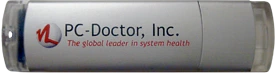
Service Center 9-14 (Version 3) Multipurpose USB Device

Service Center 15 and up (Version 4) Multipurpose USB Device

Sign up for our mailing list and receive periodic product updates and discounts!
Mailing List Signup
COPYRIGHT© 1993-2026 PC-Doctor, Inc. ALL RIGHTS RESERVED. Privacy Policy
PC-Doctor is a trademark of PC-Doctor, Inc., Reno, NV. All other brand and product names are registered trademarks, trademarks or servicemarks of their respective holders and are gratefully acknowledged. Product specifications subject to change without notice.
All PC-Doctor© products are protected by one or more of the following patents: 6,742,148; 6,792,562; 6,829,726; 7,036,129; 7,139,954; 7,155,645; 7,356,744; 9,118,695. Other patents pending.
Windows is a registered trademark of Microsoft Corporation in the United States and other countries.