Contact PC-Doctor Sales: US 866-289-7237 | International 1-775-336-4000

Professional Hardware Diagnostics & Drive Erasure for Repair Shops and IT Teams

Test Windows, Mac, Android, and ChromeOS devices with one powerful toolkit

View Pricing & Kits

Trusted by repair shops, IT teams, and ITAD organizations worldwide
Designed & developed in the United States
Service Center Hardware Diagnostic Toolkit

Why Service Center?

Service Center helps repair technicians diagnose hardware problems faster, reduce guesswork, and verify successful repairs with professional reporting.

What Is Hardware Diagnostic Software?

Hardware diagnostic software helps technicians and IT teams identify failing or unstable components inside computers and electronic devices. Professional diagnostic tools test processors, memory, storage devices, graphics subsystems, and cooling systems to detect faults that may not appear during normal system operation.

What Is PC-Doctor Service Center?

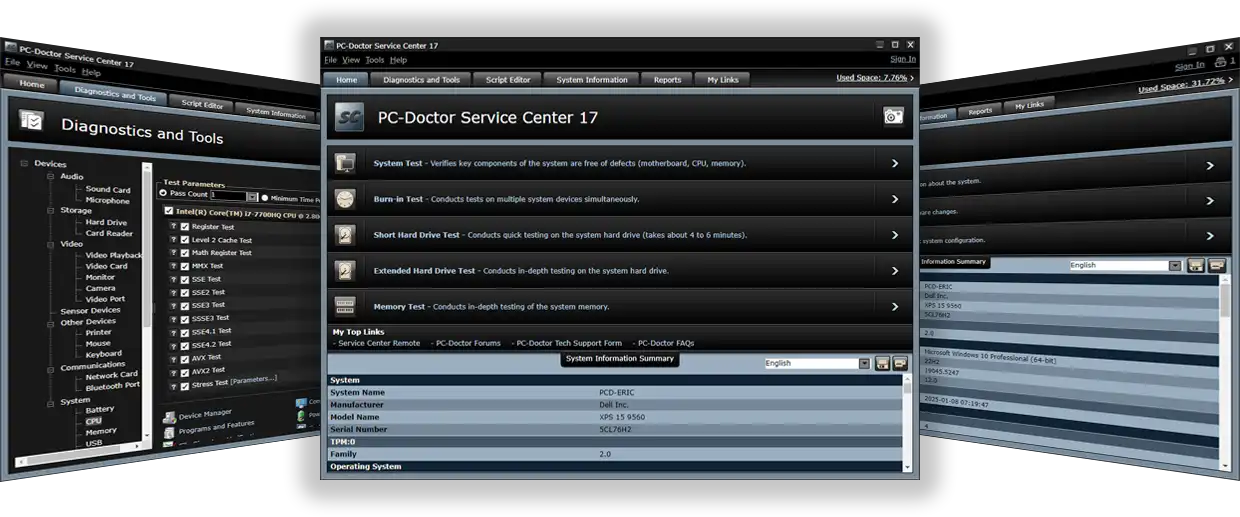
PC-Doctor Service Center is a professional hardware diagnostic software platform used by technicians to test, troubleshoot, and verify computer hardware. It includes advanced diagnostics, bootable testing environments, and automated reporting for repair shops, IT teams, and device processing organizations.

Technicians use it to identify failing components and confirm successful repairs with confidence.

Powerful & Feature-Rich
Troubleshooting Tools

Service Center brings together advanced diagnostics, certified drive erasure, and repair verification in a single toolkit built for real service environments.

  • Five environments, one USB: Access diagnostics across all platforms
  • Test Windows, macOS, ChromeOS, Android, and unbootable systems
  • 500+ hardware tests: Deep coverage across all major components
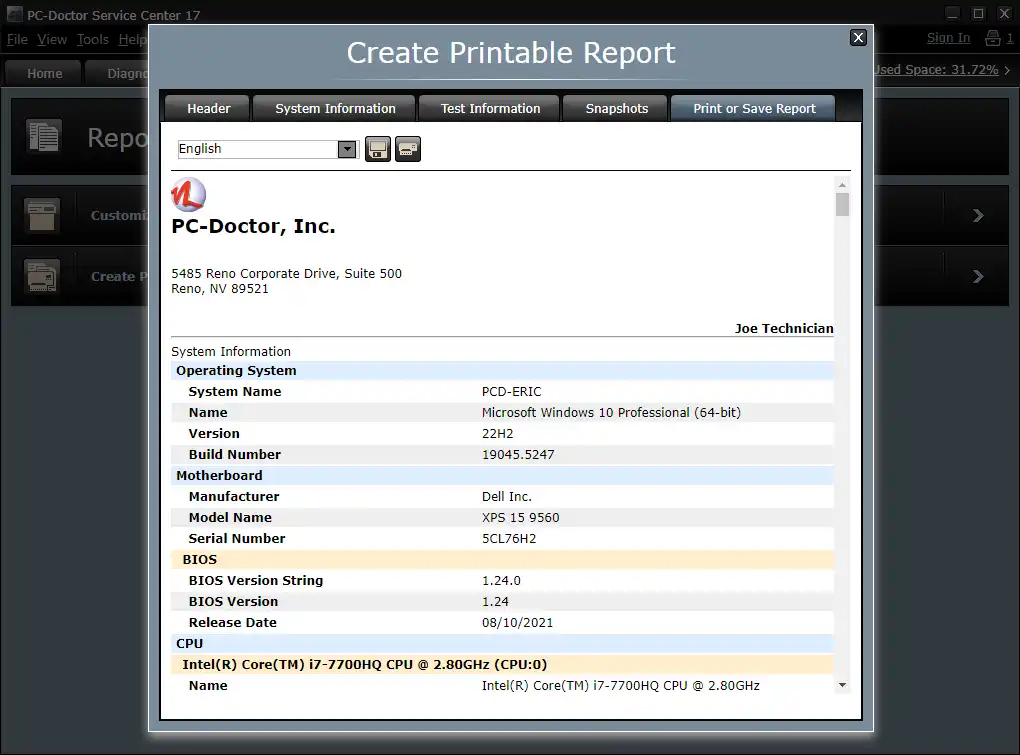
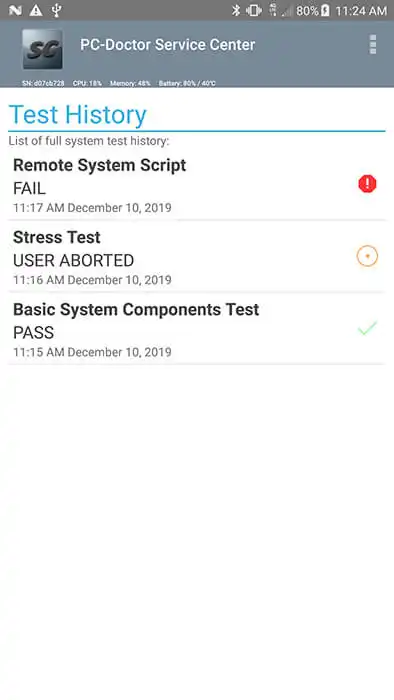
  • Customer-ready reports: Combine results into a single diagnostic deliverable
  • Store configurations, system snapshots, and test results on-device
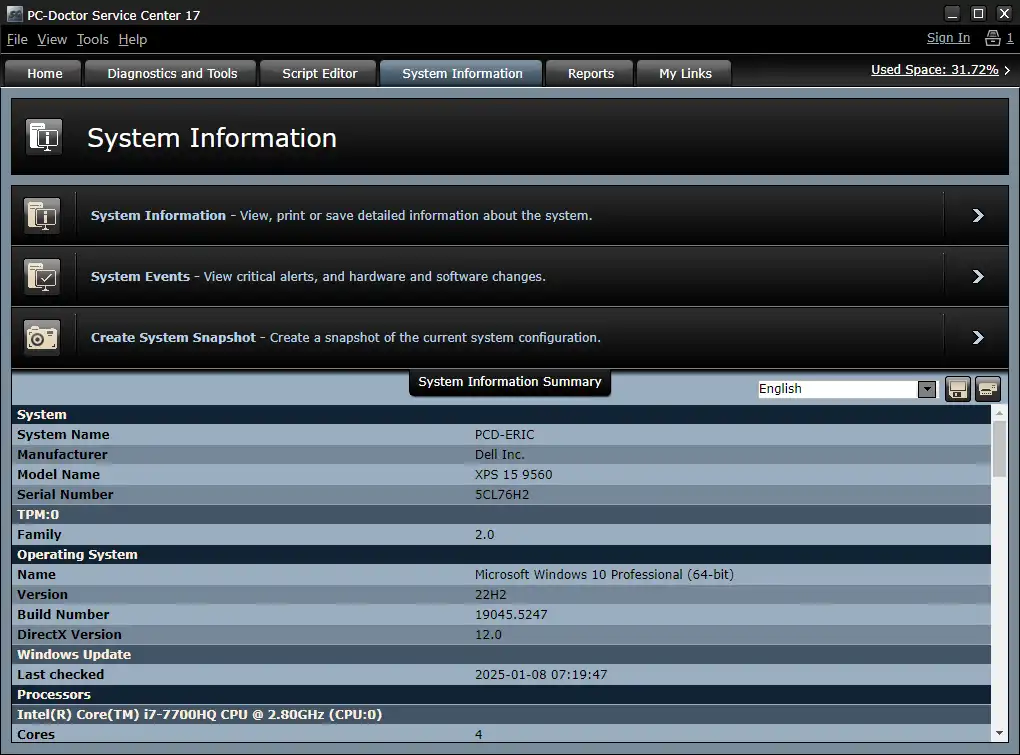
  • Generate branded, localized reports in 7 languages
  • Include secure drive erase reports as part of the service workflow

Deliver consistent, professional service while diagnosing intermittent issues and verifying repairs with confidence, whether in-shop or in the field.

Ready to standardize your diagnostic workflow?

View Pricing & Kits
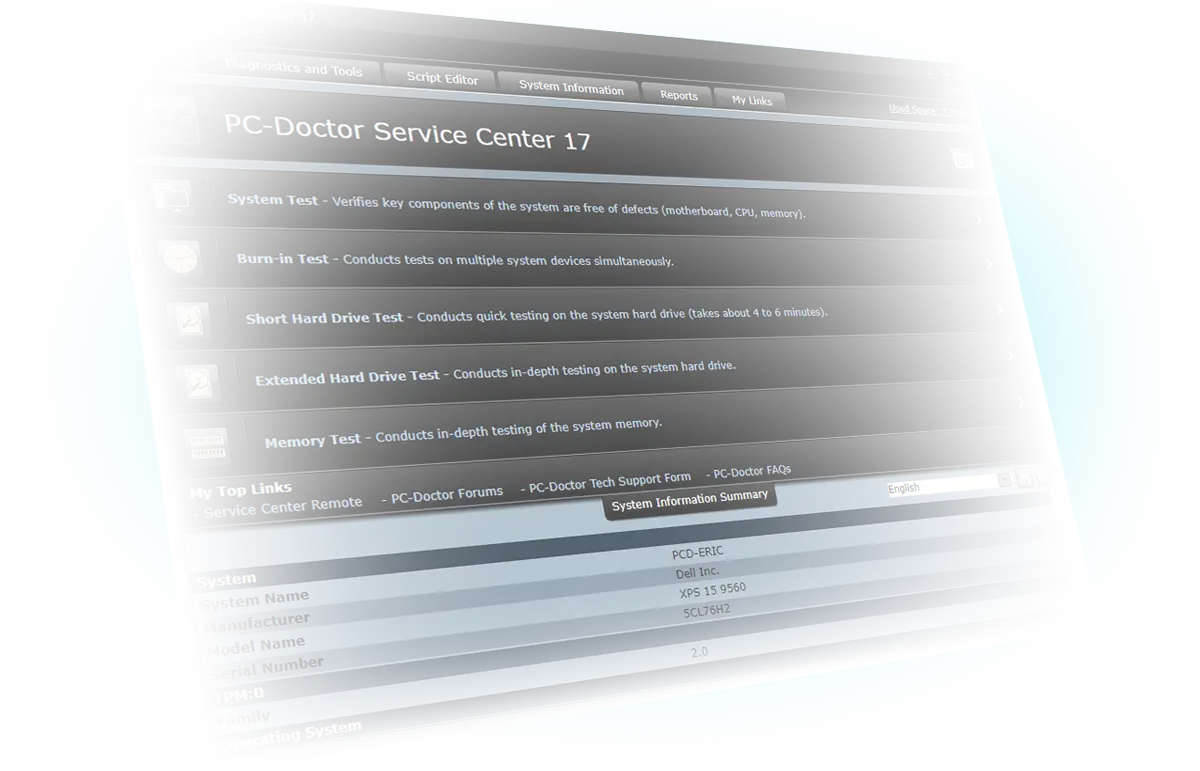
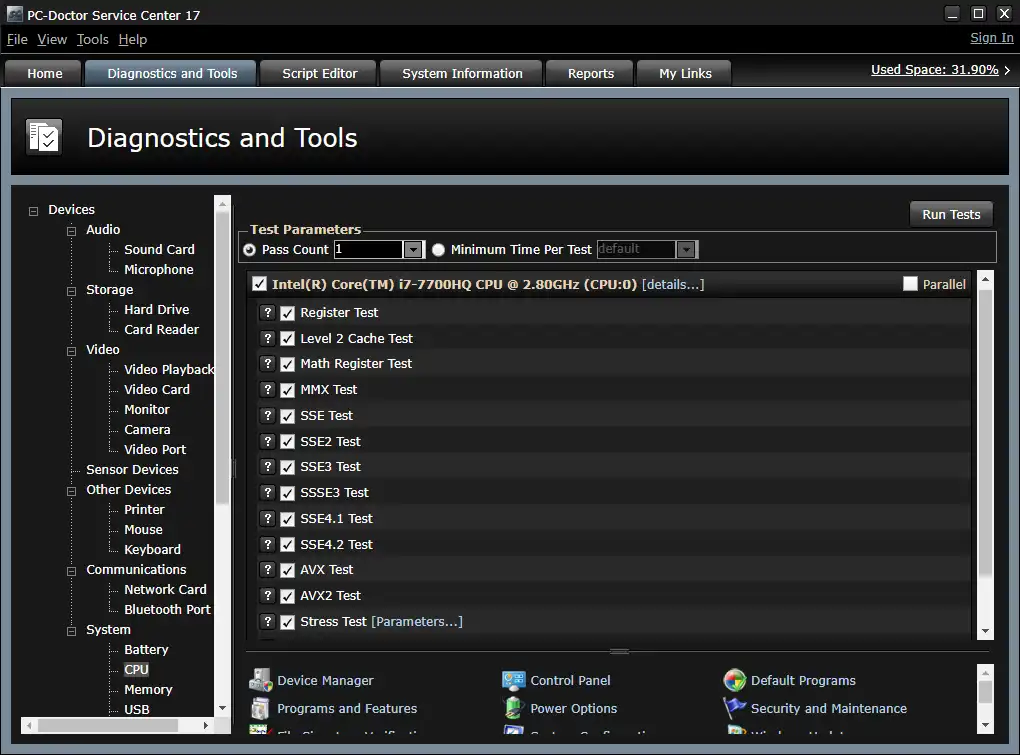
Diagnostics

Diagnostics

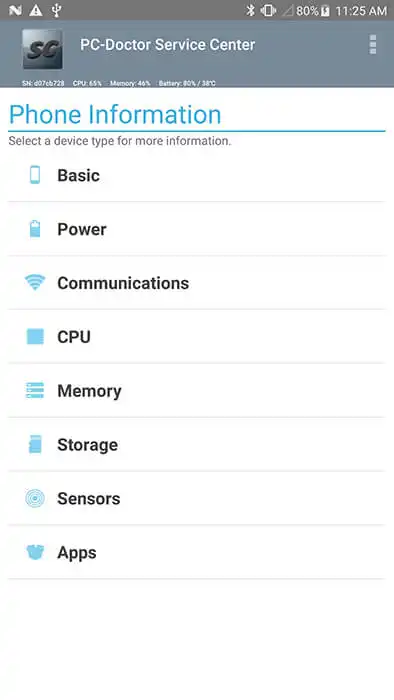
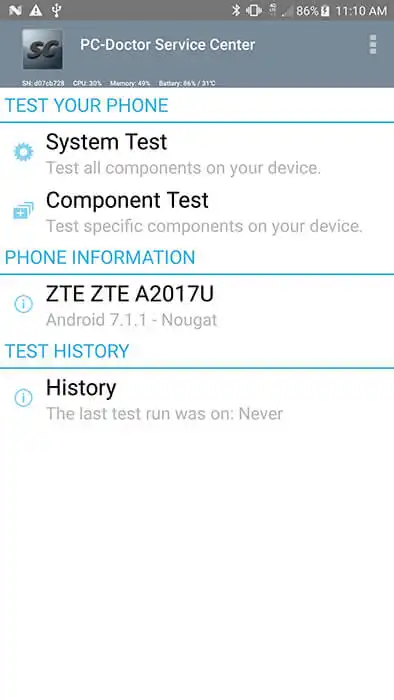
More than 500 diagnostics for PC, Android, Mac and ChromeOS devices.

View All TestsLink Arrow
Drive Erase

Drive Erase

Certified NIST-Compliant with cloud accessible and printable erasure reports.

Drive Erase InfoLink Arrow
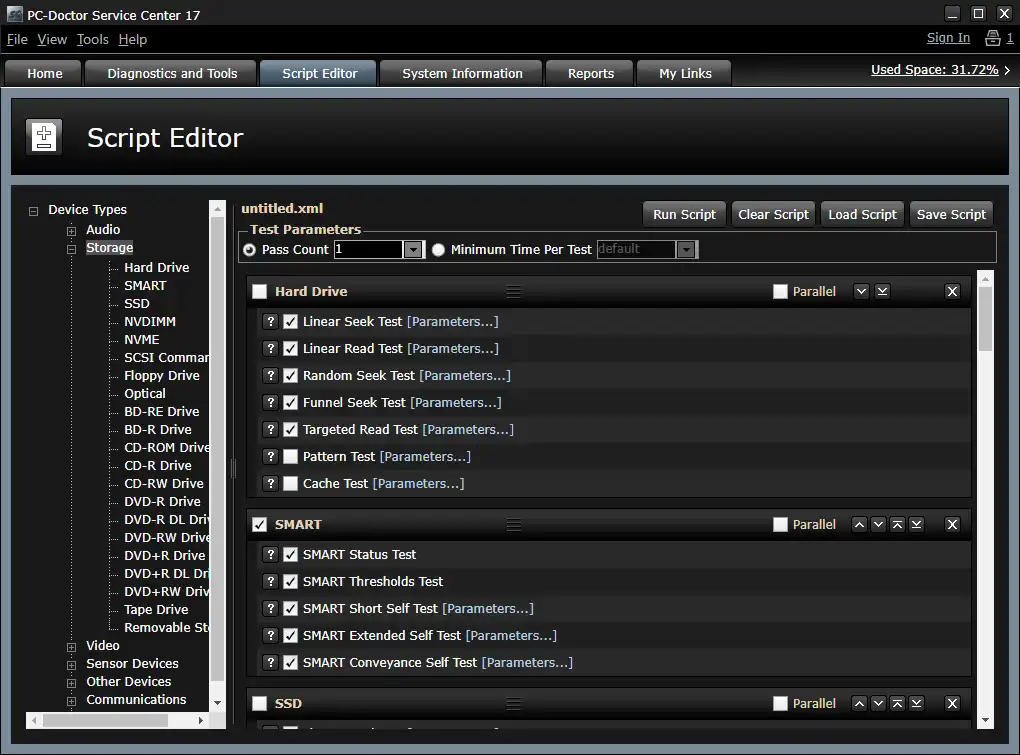
Test Scripts

Test Scripts

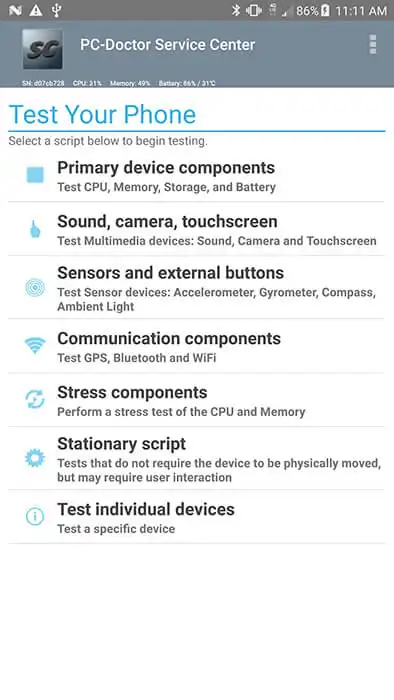
Five predefined, broad-coverage test scripts or an unlimited number of custom test scripts.
System Snapshots

System Snapshots

Compare system configuration profiles before and after repairs.
Customizable Reports

Customizable Reports

Localized reports with technician's name, company name, logo, and more.

Sample ReportLink Arrow
System Events

System Events

Quickly identify problems reported by Device Manager or the Windows Event Log.
My Links

My Links

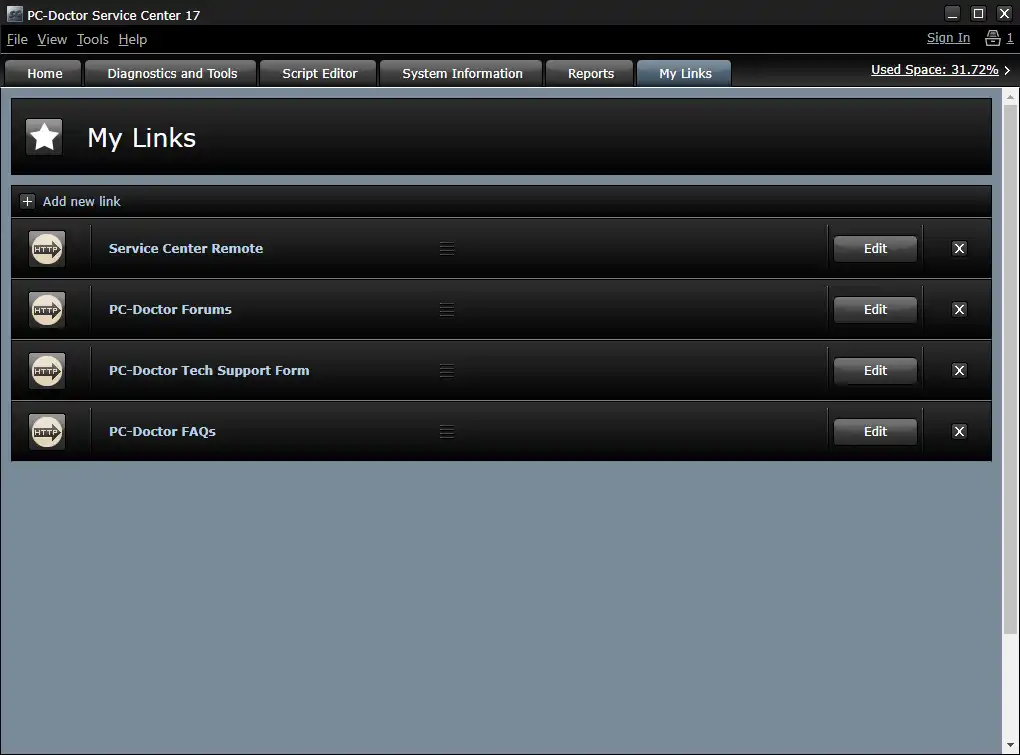
Quick access links to user-defined test scripts, favorite Web addresses, and local files.
Let's Talk

Looking for Volume Licensing, Enterprise Solutions or a Free Evaluation?

We offer tailored solutions for larger-scale operations.
Reach out to our team today to explore the best options for your organization.

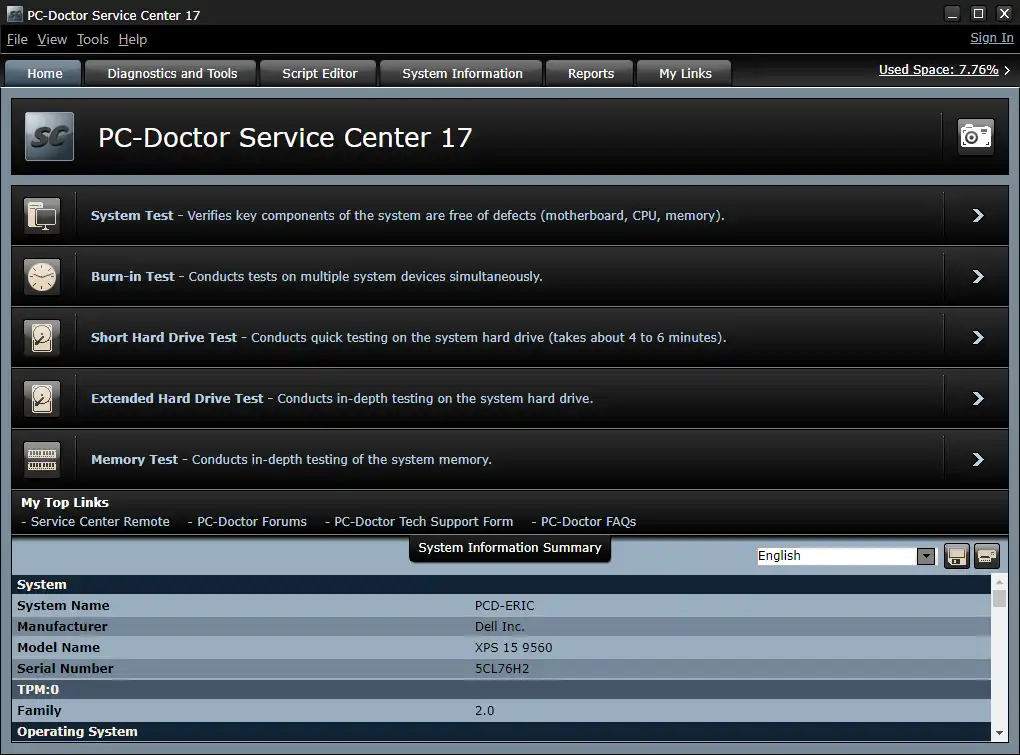
Service Center Home Page

More of the Features Working for You and Your Organization

  • The included Drive Erase is certified as NIST 800-88r1 Compliant for media sanitization of HDD, SSD, ATA, NVMe, eMMC and SAS drives
  • The Multipurpose USB Device stores session information, configuration files, customizable reports, system snapshots, your customized links, and other information
  • Direct System Information™ architecture gathers information directly from devices, bypassing drivers where possible
  • Run direct from the Multipurpose USB Device with no installation on PC and ChromeOS systems
  • Analyze Windows BSODs to identify the offending device driver
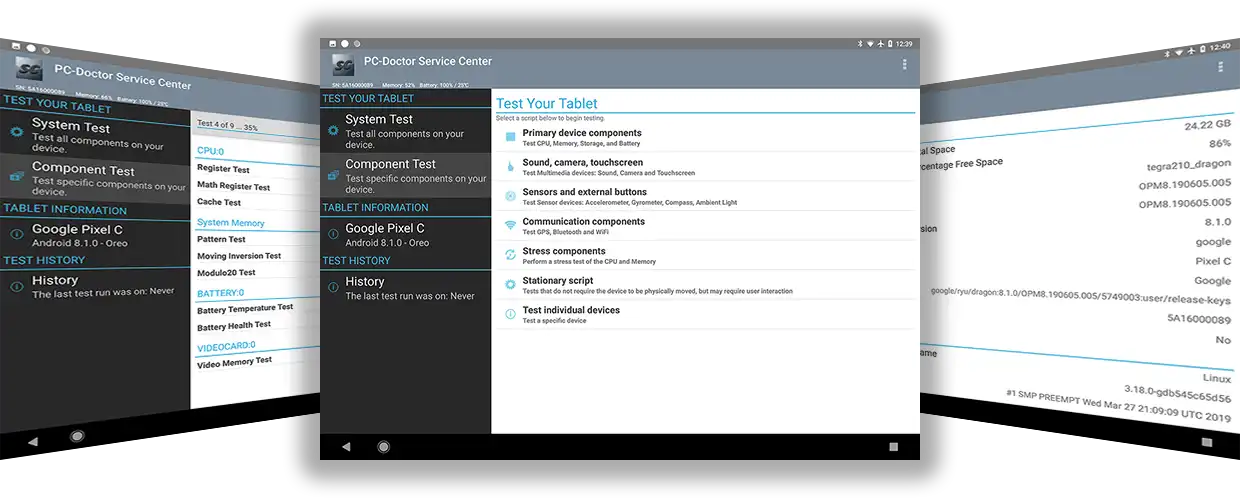
  • Ability to run under Windows 10-11, Windows Server 2016-2025, the offline Bootable Diagnostics operating system, Android 6-15, ChromeOS, macOS 15.1+, and Intel-based Macs.
  • Bootable Diagnostics support for testing UEFI based systems with support for 64-bit UEFI secure boot systems
  • Sessions automatically save system information, test results and system snapshots to the USB Key when testing—or store reports with a free cloud account via the Service Center Remote portal
  • Customizable reports available in English, Danish, Finnish, French, Norwegian, Portuguese and Swedish

Shorten Service Delivery Times

Shorten Service Delivery Times
  • Automated test sequences you can start, then walk away and check real-time status at a glance
  • Quick start-up times with no installation requirements (Android devices require temporary installation)
  • Fast, accurate diagnostics reduce time to troubleshoot and repair systems
  • Drag-and-drop custom test scripts automate testing for common problems and tailor testing to your needs

Diagnose Unbootable PCs & Mac Systems

Diagnose Unbootable PCs & Mac Systems
  • Boot and test from the included Multipurpose USB Device — even if the installed OS and/or hard drive is dead/non-existent
  • Use Bootable Diagnostics to access an offline Linux test environment, complete with proper driver support that helps cover all devices on the system, not only those with UEFI drivers

Test with the Best

Test the latest Windows PCs, Android devices, ChromeOS, and Apple silicon "M" series Macs.

Windows Diagnostics

200+

Windows Diagnostics
Android Diagnostics

50+

Android Diagnostics
macOS Diagnostics

40+

macOS Diagnostics
Windows Diagnostics Bootable Diagnostics

150+

Bootable Diagnostics
ChromeOS Diagnostics

150+

ChromeOS Diagnostics
Windows Support

v10 - 11

Windows Support
Android Support

v6-15

Android Support
Android Support

v15.1+

macOS Support
Test Environments

5

Test Environments

View all of the 500+ diagnostics available in Service Center.

Increase Profits

Increase Profits
  • Reliable results in less time, so you can process more systems each day
  • Accurate tests increase first-time-fix rates and reduce no-trouble-found (NTF) rates for components in service organizations

Solve Intermittent Problems

Solve Intermittent Problems
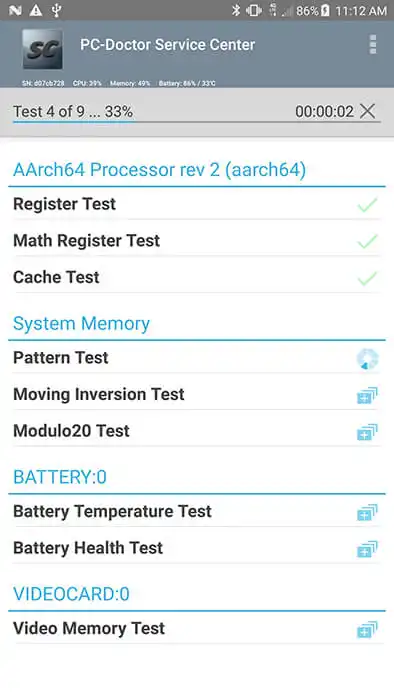
  • Run system load and parallel tests to stress the system and expose intermittent problems
  • Use System Events on PC systems to view when a BSOD occurs and what device and driver caused it

The Service Center Lineup

Choose the Service Center Kit That Fits Your Workflow

PC-Doctor Service Center

Service Center 17 Key

Just the basics.


$399 / Lifetime License

+ Free minor version update


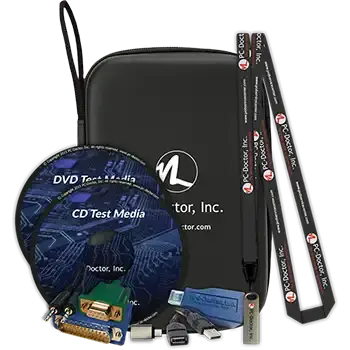
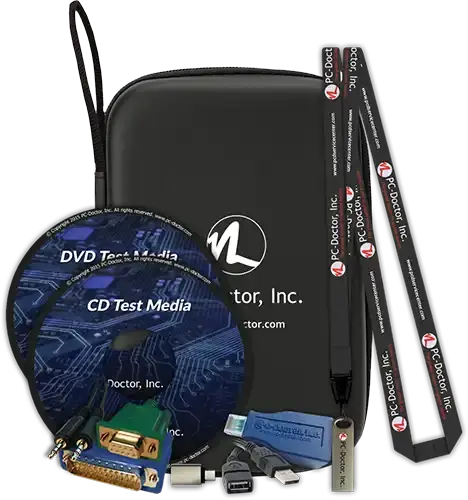
  • Sturdy SuperSpeed USB 3.0 Multipurpose USB Device with 16 GB storage containing Windows, Bootable Diagnostics, ChromeOS, macOS, and Android diagnostics
  • PC-Doctor Drive Erase (included with the offline Bootable Diagnostics)
  • USB-A to USB-C adapter
  • USB-A extension cable
  • Comprehensive documentation for advanced product usage
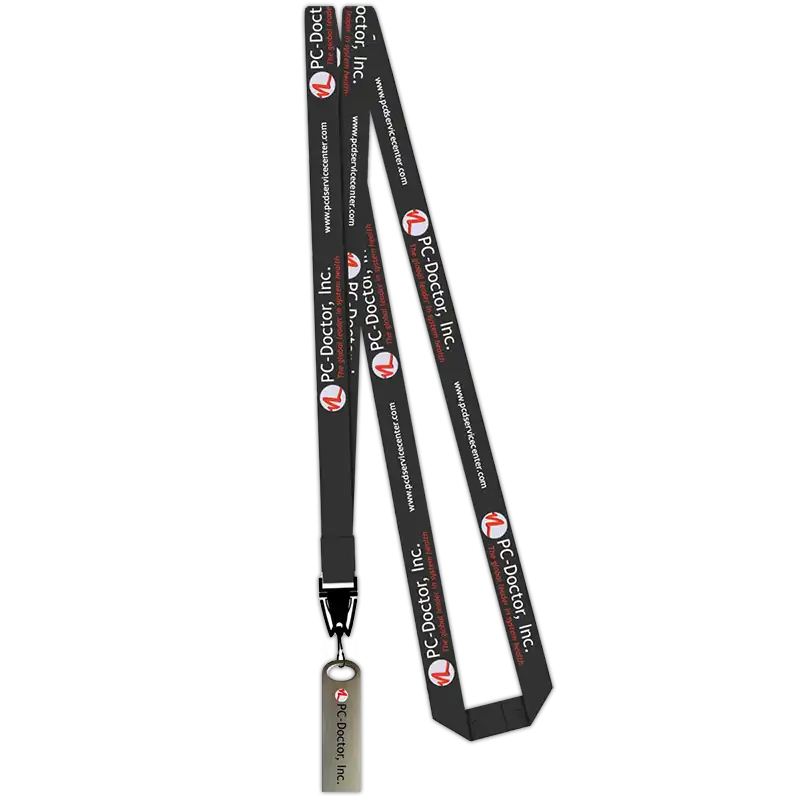
  • Branded lanyard for easy carrying and identification
  • Free cloud reporting with optional remote diagnostics
  • Free lifetime support included: Support Portal Tickets & FAQs/KB Articles
Buy Key

Fast & free US shipping
Secure checkout

Most Popular Kit Offering
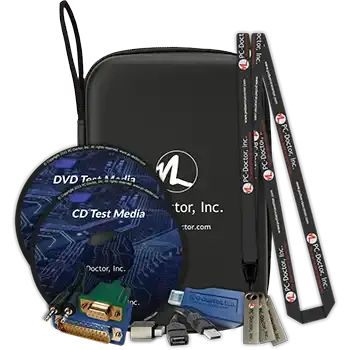
PC-Doctor Service Center Kit 3-Pack

Service Center 17 Kit 3-Pack

The everything kit ideal for teams.


$1199 / Lifetime Licenses
+ Free minor version update


  • Everything in Service Center 17 Kit plus:
  • A total of 3 Multipurpose USB Devices
  • A total of 3 USB-A to USB-C adapters
  • A total of 3 USB-A extension cables
Buy Kit

Fast & free US shipping
Secure checkout

Let's Talk

Looking for Volume Licensing, Enterprise Solutions or a Free Evaluation?

We offer tailored solutions for larger-scale operations.
Reach out to our team today to explore the best options for your organization.

PC-Doctor Service Center Remote

Move Testing Out of the Shop and Into the Cloud with Service Center Remote

Run remote hardware diagnostics and manage test reports with the same world class tools used by factories and OEMs.

Cloud Storage

  • Manage test data from a single location
  • Create reports from the cloud
  • Store and print drive erase reports
  • View and share history and results across teams
  • Free with Service Center 11+

Remote Diagnostics

  • Everything in Cloud Storage plus:
  • Centralize your expertise
  • Remotely identify issues with hundreds of diagnostics
  • Manage customers and techs with team accounts
  • Annual plans to meet your current business needs

Service Center Remote is reliable, secure and easy to use allowing the testing of a system from anywhere in the world.

Visit the Service Center Remote website for details and plans.
Quote

Trusted by PC Repair Technicians, MSPs, IT Departments, System Recyclers & Others

Read more 5-Star Reviews on Google

"First originally purchased a copy when I worked for Sears Canada almost a decade ago. Immediately started saving the company money by finding imminent failures in the equipment and preventing downtime. Purchased again for my new location, and again, saving us time and money. Wonderful product."

— Darryl Wood, 5-Star Google Review

"As a computer repair company of over 20 years, I can honestly say that PC-Doctor is the best software for diagnosis on non-booting machines or just problematic computers. I love that they support both PC and Mac."

— Advanced Computer Diagnostics, 5-Star Google Review

"If you're serious about hitting deadlines, serious about building business volume, you have to have PC-Doctor as a front line tool."

— Ray Reinders, Link Computing Solutions

"As an IT consulting firm, we reduced our return rate from 70% to 3% within six months of adopting the PC-Doctor Service Center hardware diagnostics."

— Arthur Van Ness, Computer Technician

"Bottom line, it paid for itself in the first week of use. It's been a long time since I measured an ROI in hours!"

— Brian Knox, Computer Technician

Frequently Asked Questions About Hardware Diagnostics

These frequently asked questions cover how professional hardware diagnostic software works, what PC-Doctor Service Center can test, and how technicians use it to diagnose and verify hardware issues.

Core Questions

PC-Doctor Service Center is a professional hardware diagnostic software toolkit used by repair technicians, IT teams, and service centers to identify hardware problems in computers, laptops, and mobile devices. It provides advanced hardware diagnostics, bootable testing environments, certified drive erasure, and automated reports to verify hardware functionality and repair outcomes.

Service Center can test a wide range of computer hardware components including:

  • CPU
  • Memory (RAM)
  • Storage drives (SSD / HDD)
  • GPU and graphics subsystems
  • Motherboards and chipsets
  • Battery health
  • Network hardware
  • USB and peripheral devices

The toolkit includes 500+ professional diagnostic tests designed for real repair environments.

Yes. Service Center includes bootable diagnostic environments that allow technicians to test hardware even when the operating system will not start. This makes it possible to diagnose failing components on systems that are otherwise inaccessible.

Service Center provides testing environments for multiple platforms including:

  • Windows
  • macOS (Apple silicon Macs)
  • ChromeOS
  • Android
  • Bootable diagnostic environment

This allows technicians to test devices regardless of the installed operating system.

Yes. Service Center automatically generates professional diagnostic reports that technicians can provide to customers. These reports document the hardware tests performed, system configuration changes, and clearly show pass/fail results.

Reports can be customized and branded for service centers.

Yes. Many repair shops use Service Center both before and after repairs to confirm the root cause of a problem and verify that the issue has been resolved.

This helps improve first-time fix rates, reduces repeat repairs, and increases customer confidence.

Yes. Service Center includes NIST 800-88r2 certified secure drive erase functionality that allows technicians to permanently remove data from storage devices before reuse, resale, or recycling.

This capability is commonly used by repair shops, IT teams, and refurbishers that need to sanitize storage devices during the repair or device processing workflow.

Organizations that require large-scale automated data erasure workflows or certification aligned with standards such as IEEE 2883-2022 may use enterprise solutions such as PC-Doctor Factory Drive Erase, which are designed for high-volume device processing environments.

Yes. Service Center is used by repair shops, IT teams, and device processing organizations worldwide, and it is based on the same diagnostic technology used by many of the world’s leading computer manufacturers.

Service Center runs from a multipurpose USB device that contains several testing environments. Technicians can boot directly into diagnostics for PCs and Intel-based Macs or run tests within supported operating systems.

Choosing the Right Diagnostic Solution

Professional hardware diagnostic software such as PC-Doctor Service Center is designed specifically for technicians who need accurate, repeatable testing across system components. Unlike basic utilities, professional tools provide advanced diagnostics, bootable testing environments, and detailed reporting to identify hardware failures and verify repairs.

Built-in diagnostic tools and basic operating system utilities can help identify obvious issues, but they are often limited in testing depth and may not detect intermittent or complex hardware failures.

Professional hardware diagnostic software such as PC-Doctor Service Center is designed specifically for repair environments. It provides comprehensive testing across system components, repeatable test procedures, bootable diagnostic environment, and detailed reporting. This allows technicians to diagnose problems more accurately, reduce guesswork, and verify that repairs were completed successfully.

Professional diagnostic software improves repair accuracy by providing deeper visibility into hardware performance and enabling technicians to run targeted and repeatable tests across system components.

Instead of relying on trial-and-error troubleshooting, technicians can quickly identify failing hardware such as memory, storage devices, or cooling systems. Automated reporting also helps document results and confirm that repairs were successful, improving first-time fix rates and reducing repeat repairs.

Service Center is designed for:

  • Computer repair shops
  • IT departments
  • Managed service providers
  • Device refurbishment companies
  • IT asset disposition (ITAD) organizations
  • Electronics repair technicians
Newsletter Signup

Stay in Touch

Sign up for our mailing list and receive periodic product updates and discounts!

Mailing List Signup